Image Hotspot Values
Select one or more Image-Hotspot placeholder and choose Image from the dropdown-menu on top of the hotspots-value panel to get the krpano values.
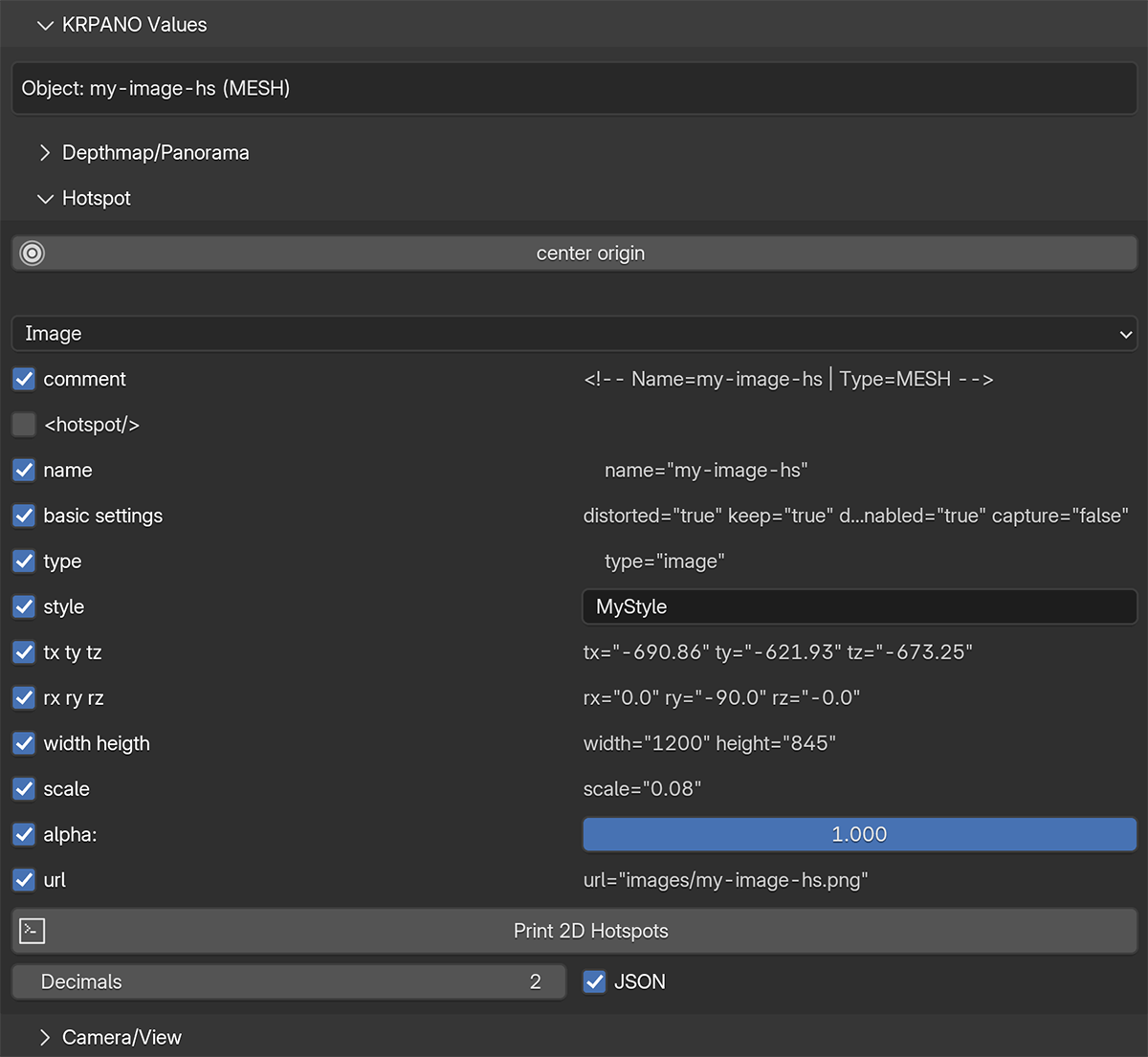
Output Options
- comment object name and type
- hotspot to output as krpano hotspot xml
- name
- basic settings can be defined in the add-on preferences
- type dropdown menu value
- style user input
- tx ty tz
- rx ry rz
- width height
- scale
- alpha
- url folder + filename (the folder can be defined in the add-on preferences)
important
To get the correct position, the object origin must be set to the center of the object!
This can be done with the button center origin on top of the panel. But it will also be done automatically when
the Print button is pressed.
Keep sure that only hotspots are selected when pressing the Print button!
Output Examples
- pca.txt
- pca.JSON
<!-- Name=my-image-hs | Type=MESH -->
name="my-image-hs"
style="MyStyle"
type="image"
tx="-690.86" ty="-621.93" tz="-673.25"
rx="0.0" ry="-90.0" rz="-0.0"
width="1200" height="845"
scale="0.08"
url="images/my-image-hs.png"
alpha="1.0"
If the hotspot checkbox is activated, the output is formatted as krpano-hotspot xml:
<!-- Name=my-image-hs | Type=MESH -->
<hotspot name="my-image-hs"
    style="MyStyle"
    tx="-690.86" ty="-621.93" tz="-673.25"
    rx="0.0" ry="-90.0" rz="-0.0"
    width="1200" height="845"
    url="images/my-image-hs.png"
/>
[
    {
        "name": "my-image-hs",
        "type": "image",
        "style": "MyStyle",
        "location": [
            -690.86,
            -621.93,
            -673.25
        ],
        "rotation": [
            0.0,
            -90.0,
            -0.0
        ],
        "width": 1200,
        "height": 845,
        "scale": 0.08,
        "url": "images/my-image-hs.png",
        "alpha": 1.0
    }
]